Free AI Headshot Generator
Upload an everyday selfie, pick an outfit and a backdrop, and get six professional AI headshots with your own face in every one – your pick plus five more backdrops and poses. The first headshot is yours to download in HD, free. Like the rest? Unlock them without watermarks.
Optional: add up to 2 more photos of you for a closer likeness.
Free to start – just your email, no card, no password. Your six headshots are ready in about two minutes.
No rush – your free headshots stay on your private results page for 30 days. Unlock all 20 for $19 whenever you're ready: one payment, no subscription.
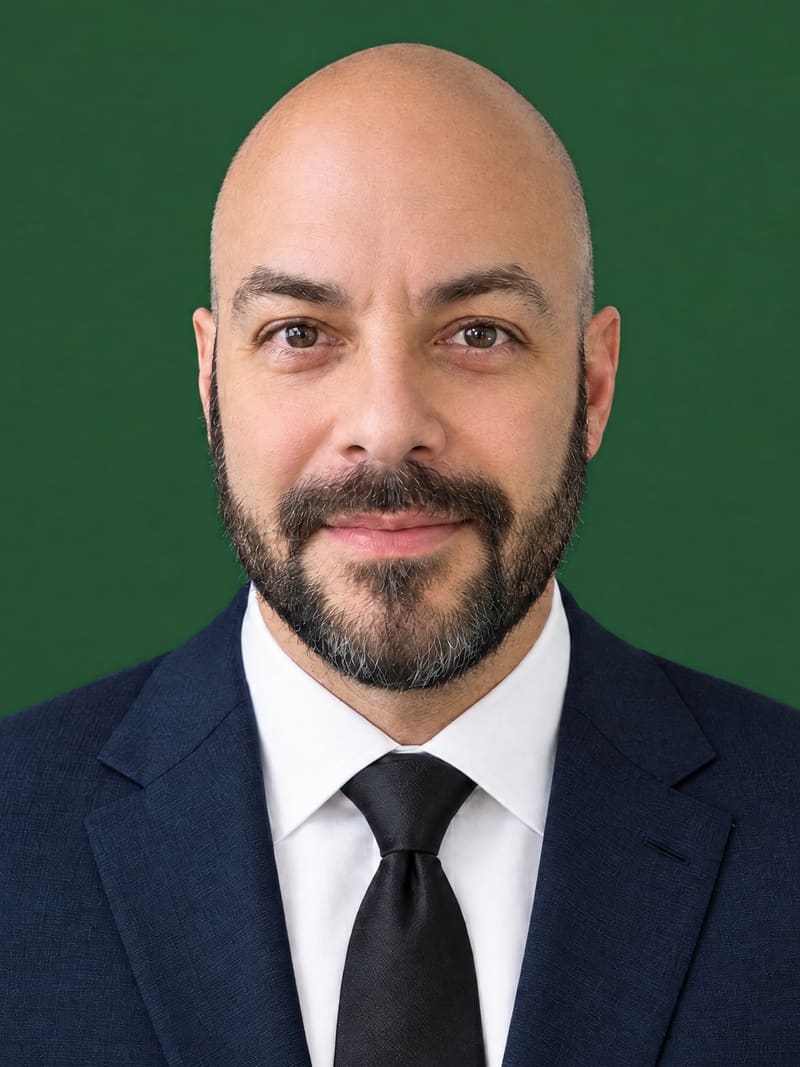
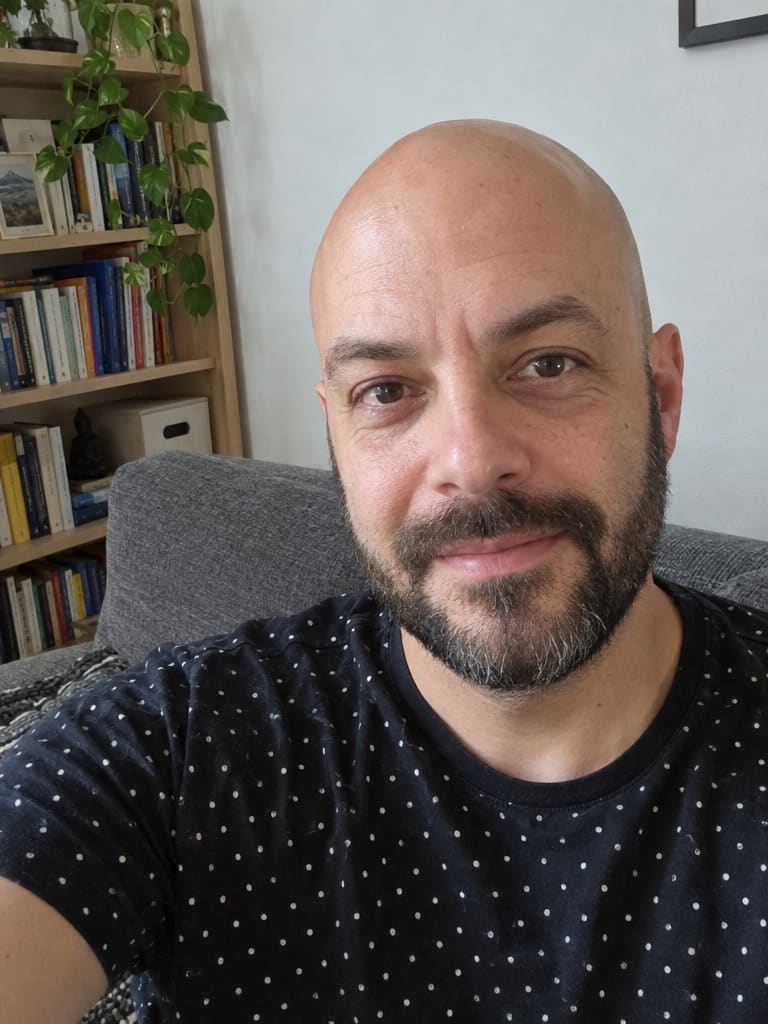
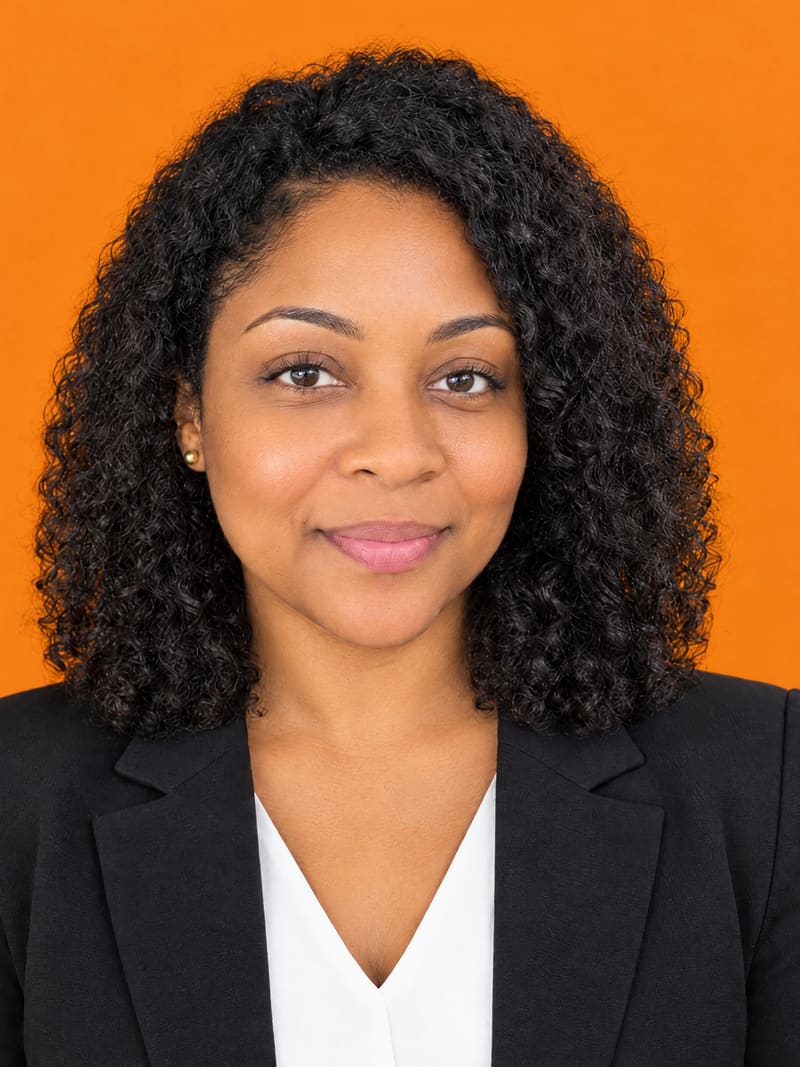
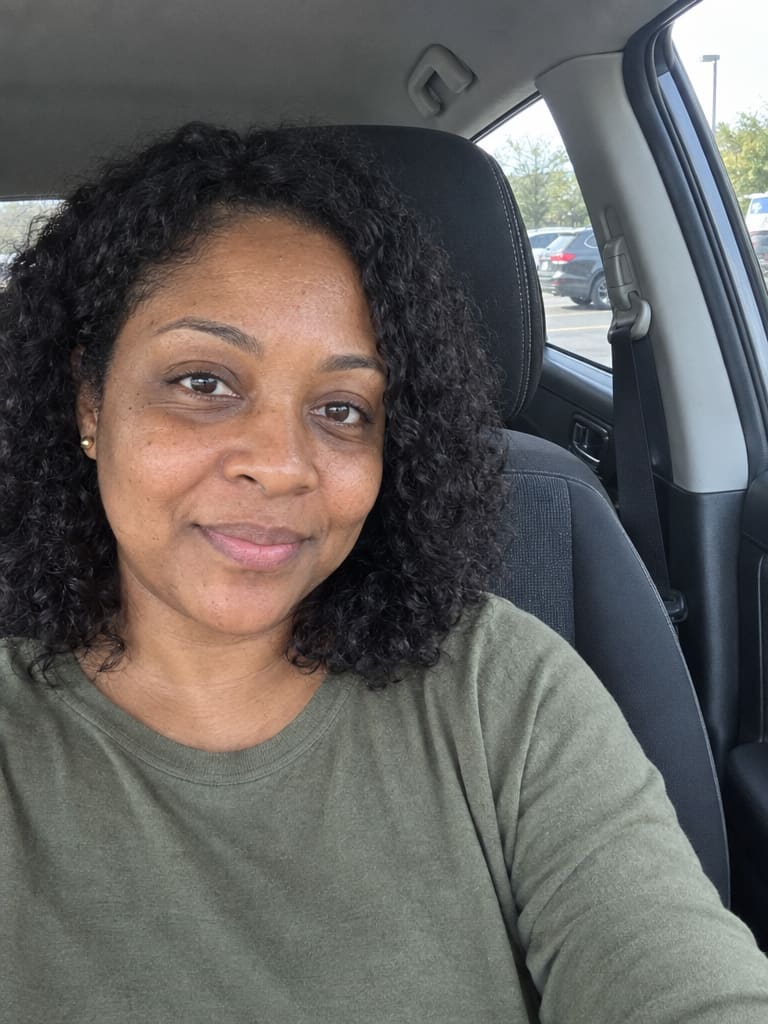
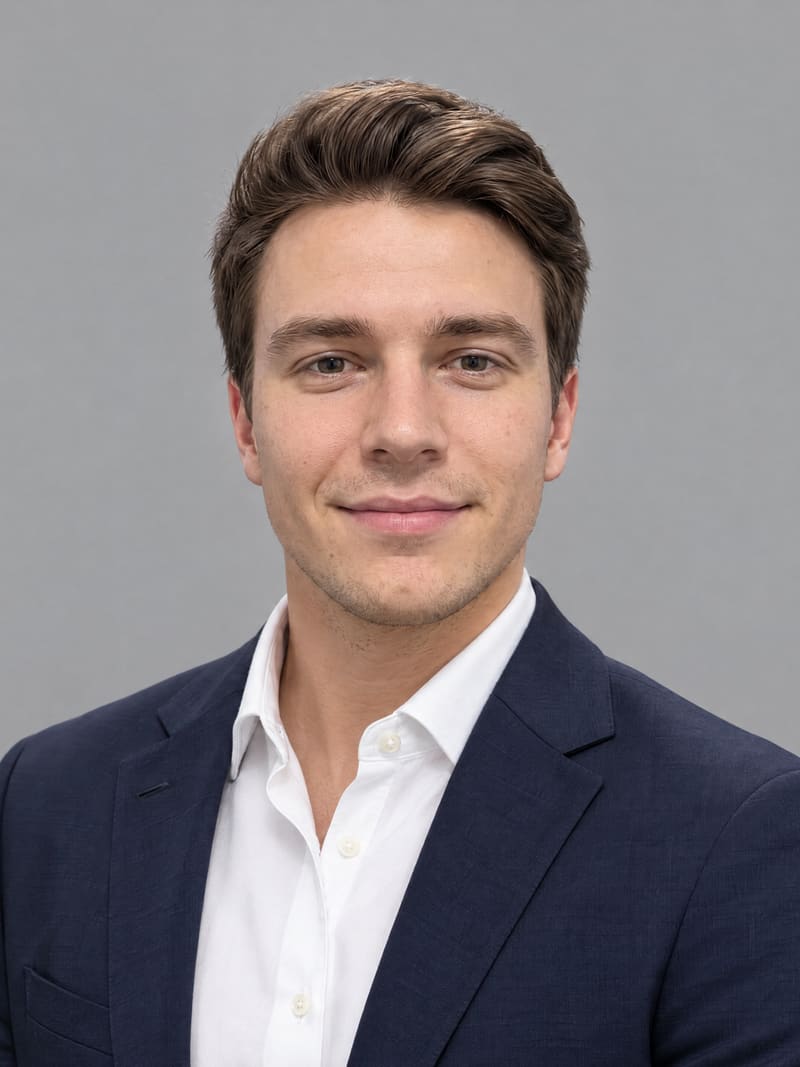
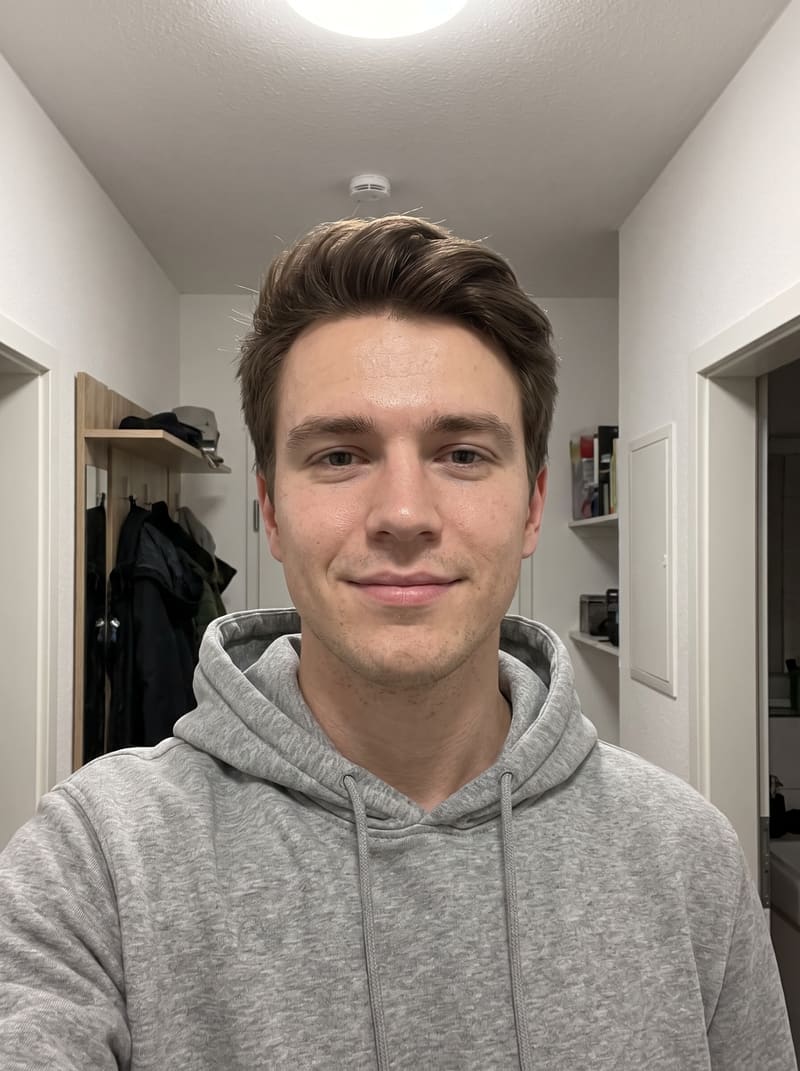
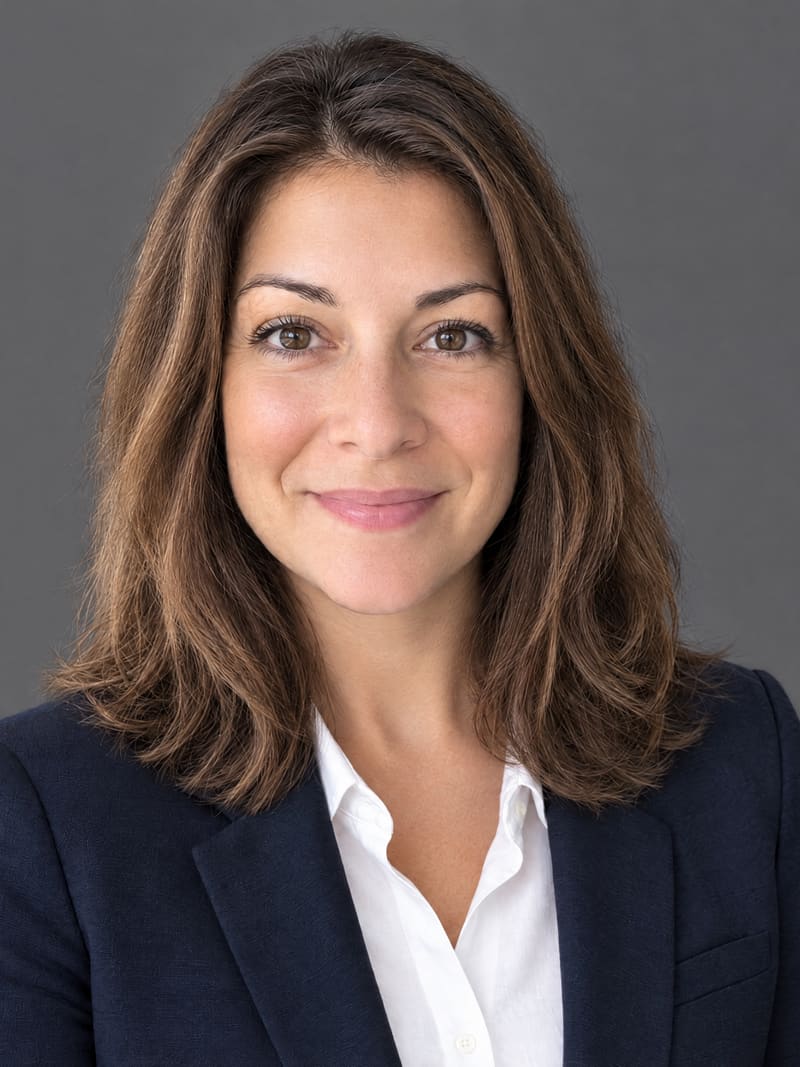
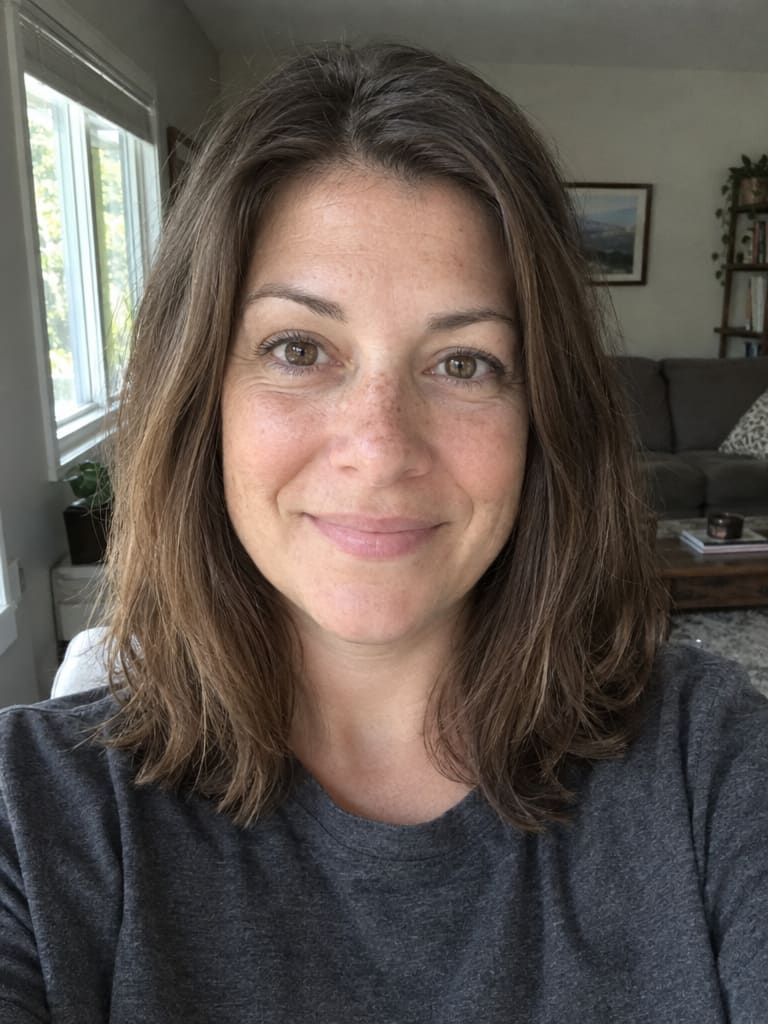
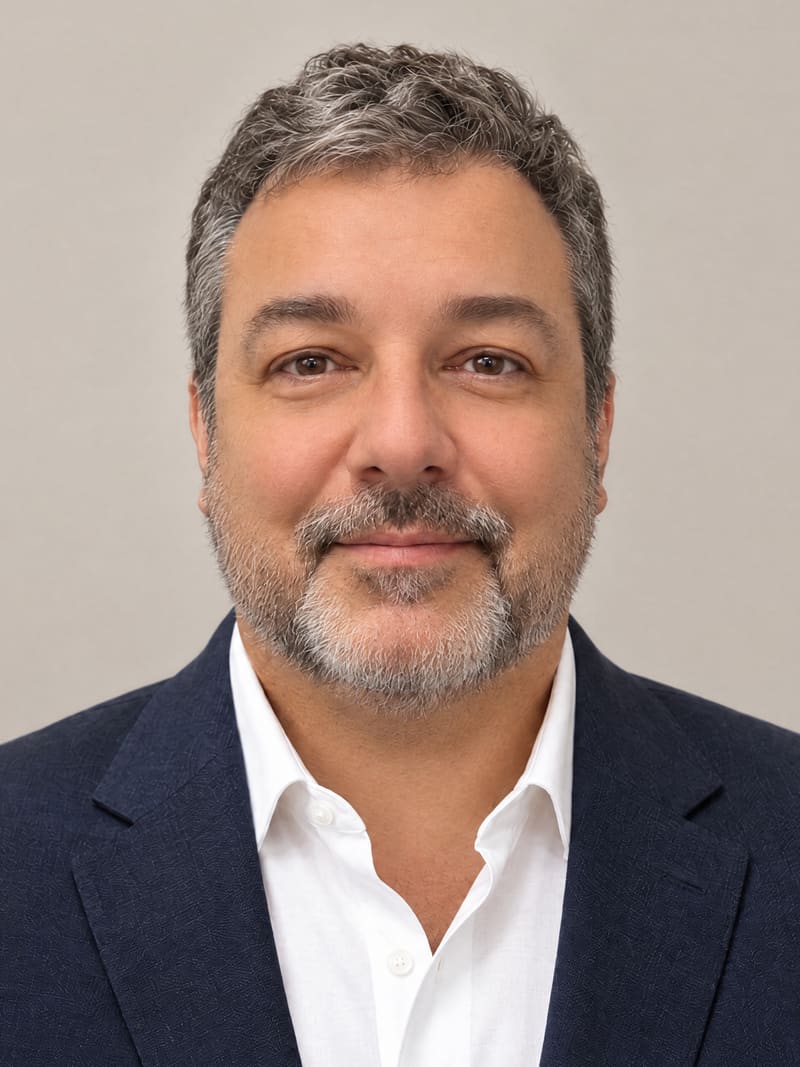
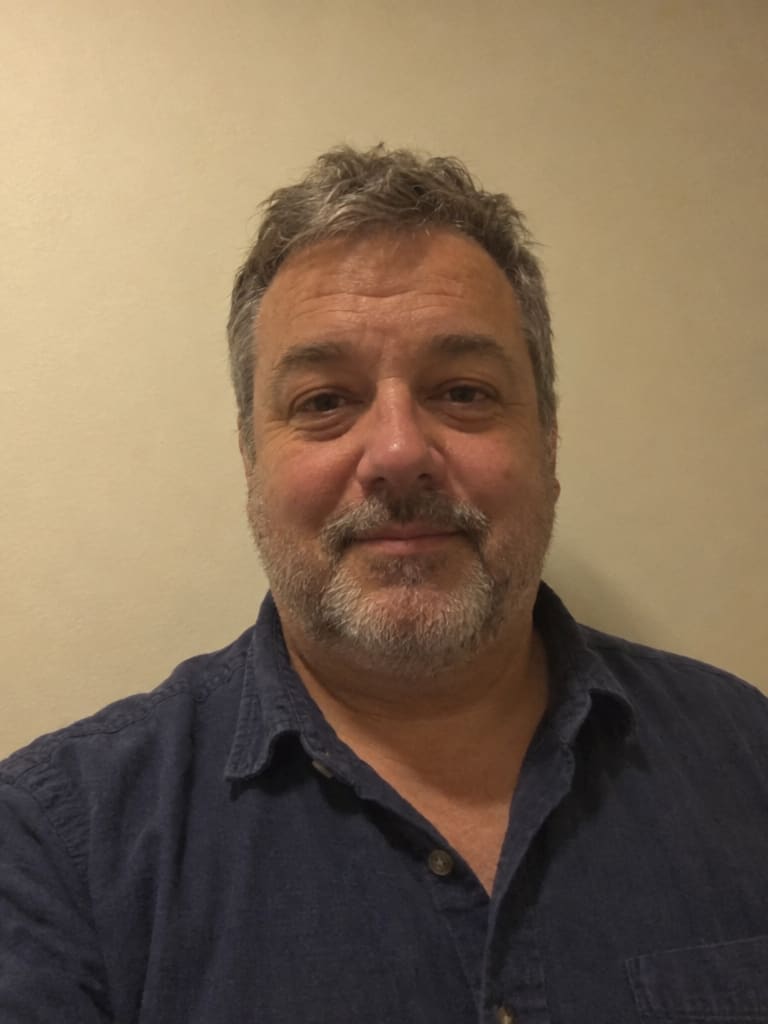
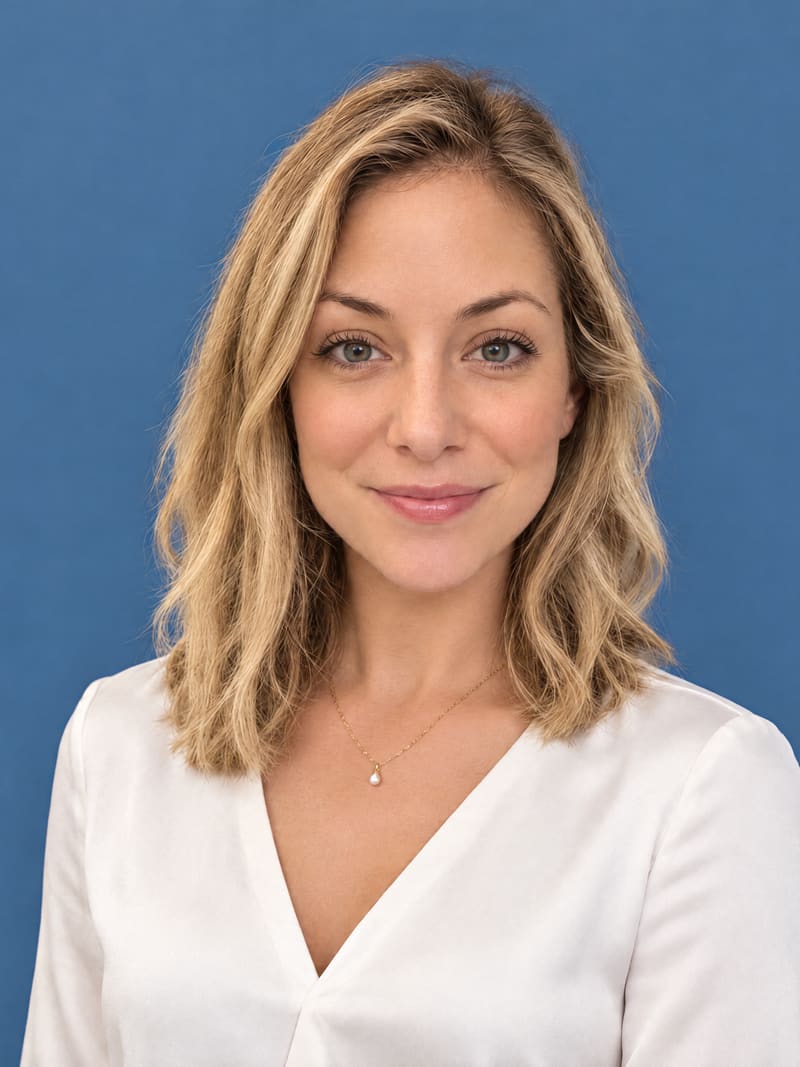
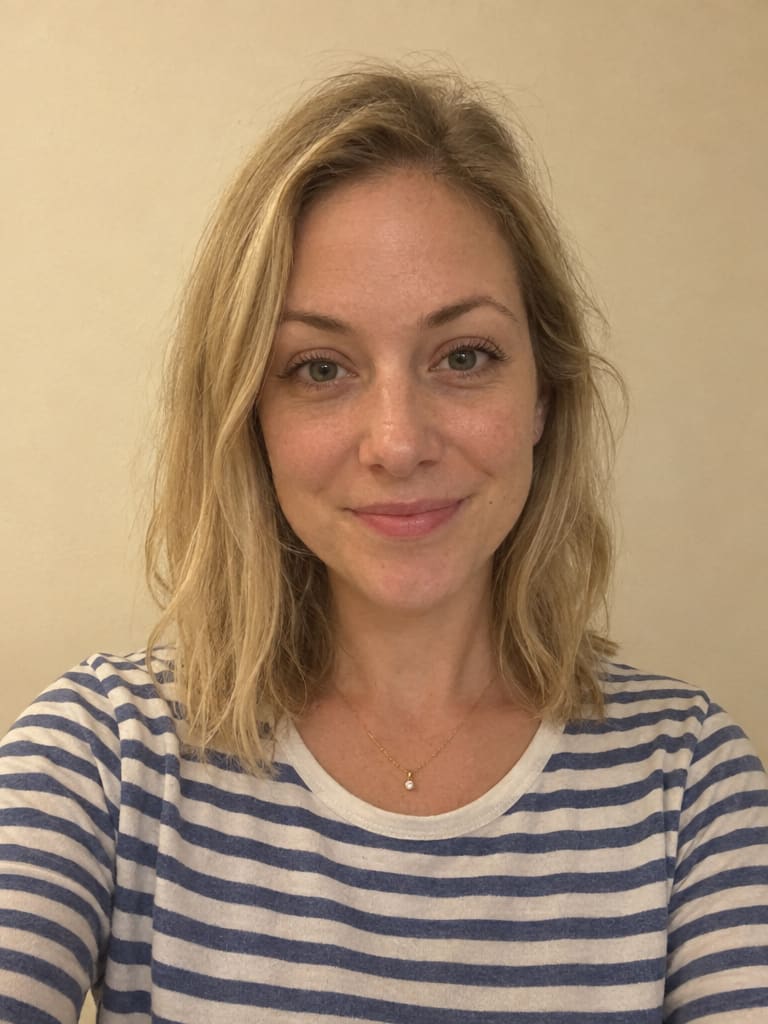
From quick selfie to professional headshot.
On the left, the selfie that went in. On the right, the AI headshot that came out – same face, studio finish.
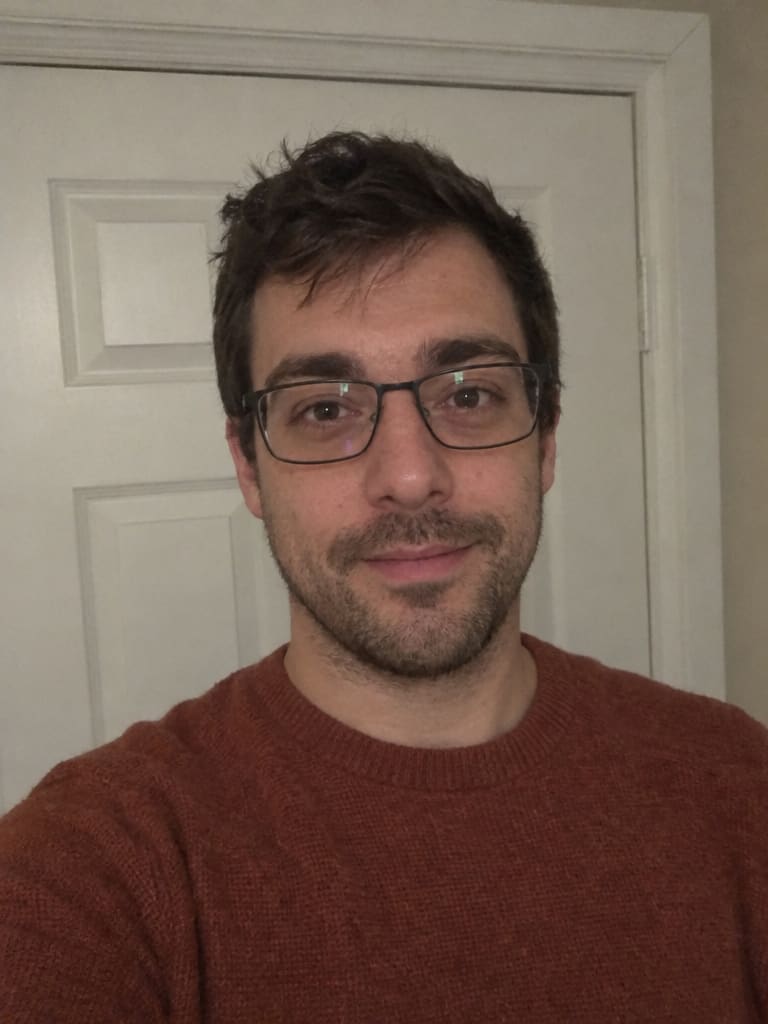
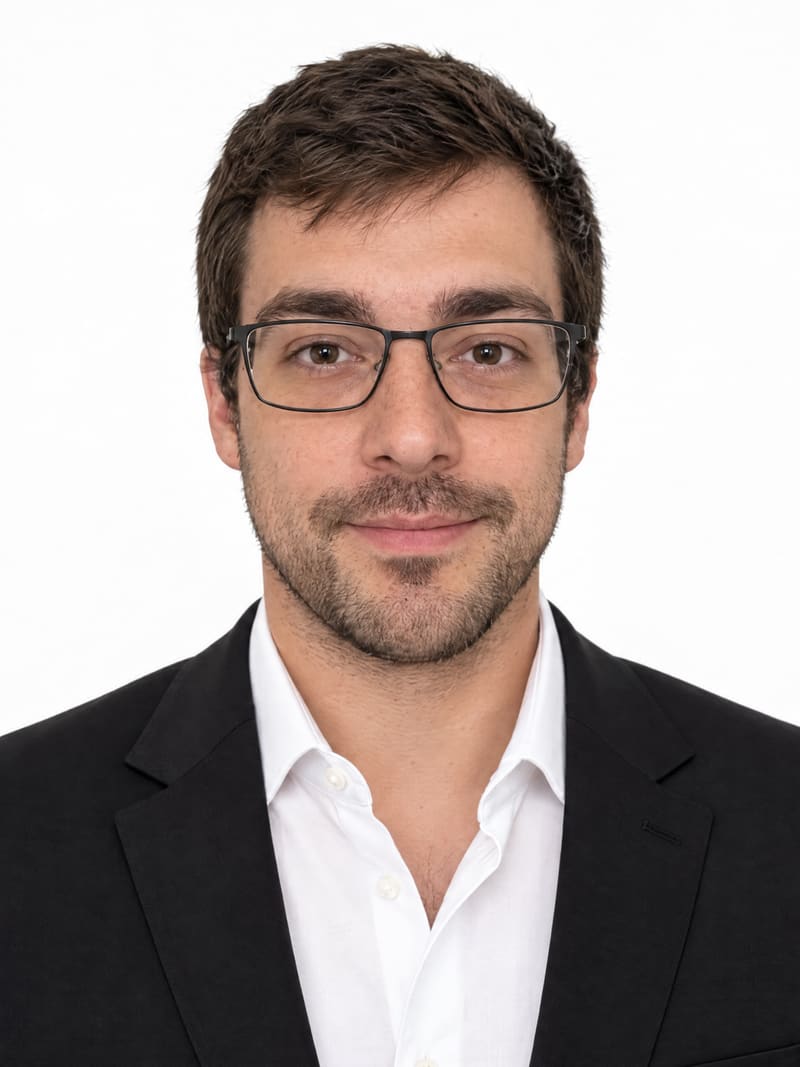
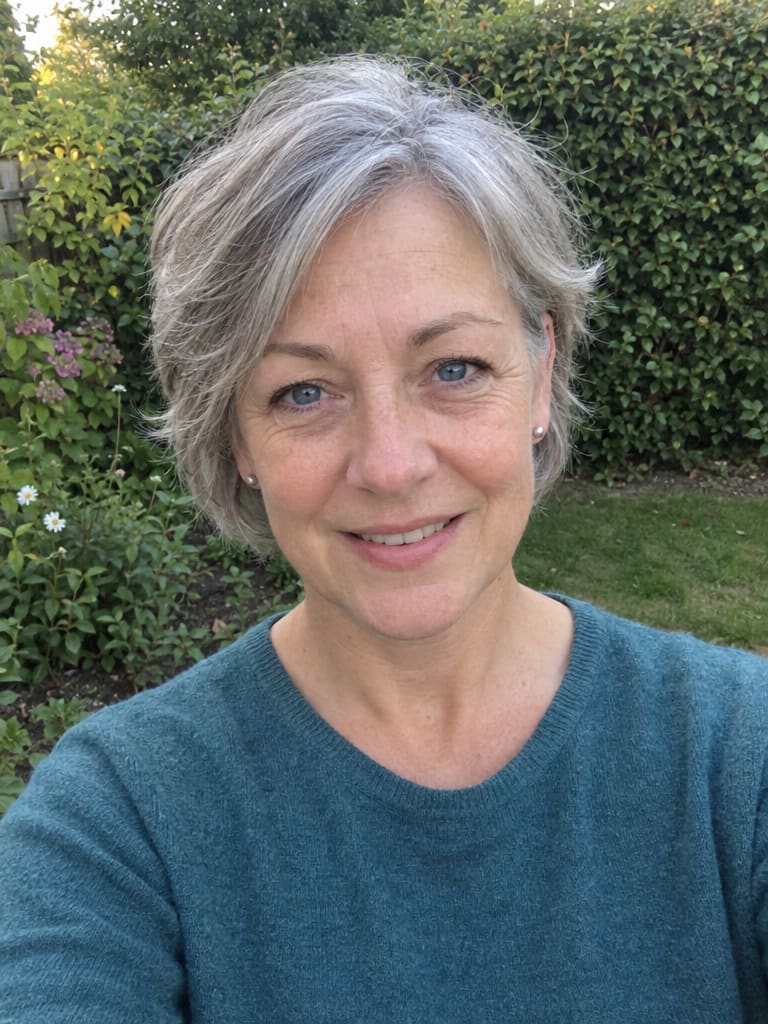
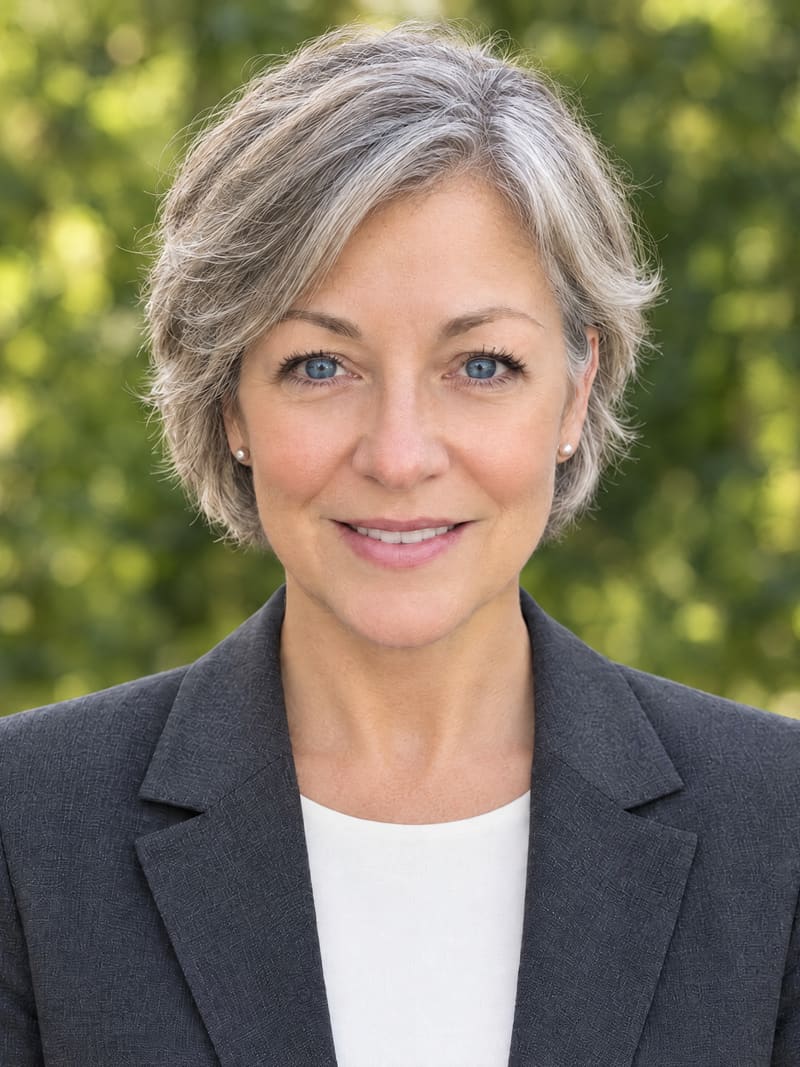
No manual edits, no hired models, no stock photos.
Selfie to headshot in three steps.
Nothing to install and no password to remember – it all runs right here in your browser, on your phone or your computer.
-
1
Upload a selfie
Any recent phone photo works – no studio, no ring light, no photographer. Add up to two more for an even closer likeness.
-
2
Pick your look
Choose from 14 backdrops and 35+ outfits, then natural or polished retouching. You get six headshots in your outfit – your pick plus five more backdrops and poses.
-
3
Download your free headshot
Your first headshot is yours in HD, free – no card, no catch. The other five wait as watermarked previews, and you unlock them only if you love them.
Put your free AI headshot to work.
Job hunt, new role or just a better profile picture – one free AI headshot covers every place people see your face first.
-
Your LinkedIn page
Recruiters see your photo before they read your headline. A clean, square headshot drops right into the round frame.
-
Job applications
Where a résumé photo is expected, a calm, plain-backdrop headshot looks right at home on the first page.
-
Every email you send
Signatures and inbox avatars shrink photos to a thumbnail – a well-lit face stays recognizable even then.
-
Cards, badges and bios
Business cards, conference badges, speaker bios, the team page – one polished look, sharp on screen and on paper.
-
Work chats and socials
Slack, Teams, X, Instagram – the same headshot everywhere, so people know it's you at a glance.
Free AI headshot, full set or a studio shoot?
The free headshot and the full set come from the very same AI – paying only removes the limits. Here is how both compare with booking a photographer.
A fraction of a studio booking
| Free | Full set | Photographer | |
|---|---|---|---|
| Price | Free | $19, one payment | A few hundred dollars |
| Account | Just your email | The same one | Booking required |
| Payment details | Not needed | Only to unlock | Often a deposit upfront |
| Wait for your headshots | About two minutes | Minutes | A session, then days of editing |
| Headshots in HD | 1 | 20 | A handful of retouched picks |
| Watermarks | Corner logo; watermarked previews | None – not even a logo | None |
| Outfits and backdrops | Your outfit on 6 backdrops | 15 outfits and 14 backdrops | The clothes you bring |
| Resolution and format | HD (1024×1024), square | HD, square – your first headshot in 4K, more 2K and 4K with credits | Full-size files |
| Changes afterwards | – | 120 headshot credits for up to 20 more headshots or edits, valid 30 days | Extra fee per retouch |
| If it doesn't look like you | – | We redo it or refund you | Usually a paid reshoot |
| Your free headshots | – | Included, watermark-free | – |
The free headshot isn't a teaser – it's a real HD file you can put on LinkedIn today. The five previews show you the range. Unlock, and nothing goes to waste: all six become clean HD files, 14 more headshots arrive in new outfits, and 120 headshot credits cover up to 20 more – all for a single $19 payment. Nothing renews.
How to take a selfie for a great headshot
-
Turn toward a window
Daylight from the front is the most flattering light you own. A ceiling lamp straight above you leaves dark hollows under the eyes.
-
Hold the phone at eye level
Look straight into the lens with your head and shoulders in the shot. Leave out sunglasses, caps and other people.
-
Keep your face relaxed
A soft smile, or simply a calm look, comes across as friendly and confident. Big laughs and serious frowns both translate badly into a headshot.
-
Stand in front of something plain
Your backdrop gets swapped out anyway, but a plain wall keeps the focus on you – no posters, photos or other faces behind you.
-
Wear anything
Your clothes are replaced by the outfit you pick, so a hoodie is fine. Just keep your face and neckline clear – no hood pulled up or hand in the way.
-
Think about who will see it
Law, finance or sales usually call for a darker suit and a quiet backdrop. Design, media or tech can carry a bolder look – pick the outfit and backdrop to match.
What is a free AI headshot generator?
Think of it as a photo studio that lives in your browser. You give it a picture of your face, and artificial intelligence re-shoots you as if you had booked a session: flattering light, business clothing and a clean backdrop. The difference from a real studio is the price – it's free – and the time: minutes instead of days.
On Photolaria, you pick an outfit and a backdrop, and one selfie gives you six headshots – your pick plus five more backdrops and poses, so you judge the styles on your own face rather than on a model's. Your first headshot is yours in HD for free, ready to download. The rest appear as watermarked previews. Want them all? A single payment opens the complete set of 20 headshots in HD with no watermarks, your free one also in 4K, plus 120 headshot credits for up to 20 more headshots, edits, or 2K and 4K upscales of your favorites. Starting is free: all you need is an email address – no card, no password, no subscription.
Popular uses
- A new LinkedIn photo
- Résumés and job applications
- Email signatures, Slack and Teams
- Company websites, badges and business cards
- Instagram, X and other social profiles
Your face stays your business.
The free AI headshot generator follows the same privacy rules as the rest of Photolaria – no special exceptions.
- A gallery only you can openYour selfie and your headshots are never posted, shown as examples or shared – they're used only to make your headshots.
- Not for saleWe don't sell or license your photos. Our AI providers receive them only to make your headshots and may not sell or publish them.
- Start free with just your emailNo card and no password – a one-time code signs you in. We use your email to sign you in and tell you when your headshots are ready, and send marketing only if you opt in.
- Delete it all, any timeThe Delete my data button erases every selfie, headshot and preview from Photolaria – straight away, no request form. Free sets you don't unlock are deleted after 30 days anyway.
Full details in the Privacy policy and the Refund policy.
Frequently asked questions
What is a free AI headshot generator and how does it work?
A free AI headshot generator is an online tool that turns a regular selfie into a professional headshot at no cost. You upload a photo of your face, and the AI re-creates you as if you had sat for a studio session: business clothing, a clean backdrop and soft, flattering light. Photolaria's free AI headshot generator gives you a headshot for LinkedIn, your résumé, Slack or your email signature – all it asks for is your email, never a card.
Is there a free AI headshot generator with no hidden costs?
Yes – Photolaria's AI headshot generator is free to use with no hidden costs. One selfie in, six headshot styles out, and one of those headshots is yours to download in HD without paying. No trial quietly turns into a subscription, and nothing is charged later. The other five are watermarked previews – unlocking them is optional and costs a single $19 payment.
How many free AI headshots can I download?
One: your first headshot, free in HD (1024×1024) and ready to use right away. It carries only a small Photolaria logo in the corner – no watermark across your face. It is also made in 4K, and that version unlocks with the full set. The five other styles appear as watermarked previews, so you see the whole set before deciding whether to unlock it.
Do I need a credit card or a password for the free AI headshot generator?
Neither. The free AI headshot generator only asks for your email address: a one-time code signs you in, your headshots wait on a private results page for 30 days, and we let you know when they are ready. Payment details are only needed if you unlock the full set.
How many selfies do I need for an AI headshot?
Just one – and you can add up to two more for a closer likeness. A single, recent selfie where your face is clearly visible is all the AI headshot generator needs. Look at the camera, stand in soft light (a window in front of you is ideal) and keep your face uncovered. Skip sunglasses, beauty filters, group photos and shots taken from far away.
Can I use a free AI headshot on LinkedIn and my résumé?
Yes. Your free headshot works anywhere a professional headshot is expected: LinkedIn, résumés and job applications, email signatures, Slack or Teams, business cards, conference badges, your company's team page and your social profiles. The HD file crops neatly to a square for round profile frames.
Is the free AI headshot the same quality as the paid headshots?
Yes – both come from the same AI at the same quality. The free tier gives you six headshot styles, one of them to keep in HD. The full set, $19 paid once, unlocks all 20 headshots in HD without watermarks, your first headshot in 4K, a wider range of outfits and backdrops, and 120 headshot credits for up to 20 more headshots or edits – or 2K and 4K versions of your favorites. The headshots you made for free are included.
Does the AI headshot generator keep my glasses?
Yes. Your frames are part of how people recognize you, so the AI keeps them in every headshot – and removes reflections from the lenses by default, so no glare hides your eyes. Prefer no glasses, or a different frame? Choose on the review page before you generate.
Will an AI headshot get my skin tone right?
Yes. The AI changes the lighting around you, not the color of your skin – it won't lighten or darken you. How much it smooths is your choice: Natural keeps your texture and lines, Polished gives smooth, even skin. A selfie taken in even light gives it the most accurate starting point.
Can I get an AI headshot wearing a hijab or turban?
Of course. A hijab, turban or any other head covering you wear in the selfie is carried into each headshot. Simply upload a photo in the covering you want to be seen in.
Do AI headshots look real, or can people tell?
They're made to look real. The AI keeps your actual features and renders natural skin texture under studio-style light, so the result looks like a photographer took it rather than like an app filter. You see six headshots of your own face before paying anything – and if the full set doesn't look like you, our redo-or-refund guarantee covers it.
Can I use my AI headshots for business and marketing?
Yes – on professional profiles, résumés, company websites, business cards and marketing material. Usage rights are spelled out in full in our Terms.
Is it safe to upload my selfie to an AI headshot generator?
On Photolaria, yes. Your selfie and headshots are kept in a private gallery that only you can open – we never publish them. Our AI providers receive your photos only to make your headshots and may not sell or publish them. A single button deletes everything from Photolaria whenever you like, and free sets you don't unlock are deleted after 30 days. More in the Privacy policy.
How much does the full set of AI headshots cost?
$19, paid once (excluding VAT), for all 20 headshots in HD (1024×1024) without watermarks, your first headshot in 4K, a range of outfits and backdrops, and 120 headshot credits for up to 20 more headshots or edits – up to 40 headshots in total. The headshot credits also cover 2K and 4K versions and stay valid for 30 days after purchase. There is no subscription and nothing renews. If the headshots don't look like you, let us know within 14 days and we will redo them or refund you in full – see the Refund policy.
Start free. Get all 20 headshots for $19.
The complete set in HD with no watermarks – 20 headshots in 15 outfits and 14 backdrops, your free one also in 4K – plus 120 headshot credits for up to 20 more in any outfit and backdrop you like. Up to 40 headshots in total, and everything you made for free is included.
Paid once · Nothing renews · Not you? We redo it or refund you